Internet
Quick, specific remote checks
Open the recording from the platform and bring back only the section you need. It is the fastest way to review a specific incident.
- When
- Right away
- How much video
- Specific sections
- Requirement
- 4G on the bus
Video surveillance · CCTV
A video surveillance system for public transport fleets, with on-board cameras, a recorder, communications and remote access from the Busae platform.
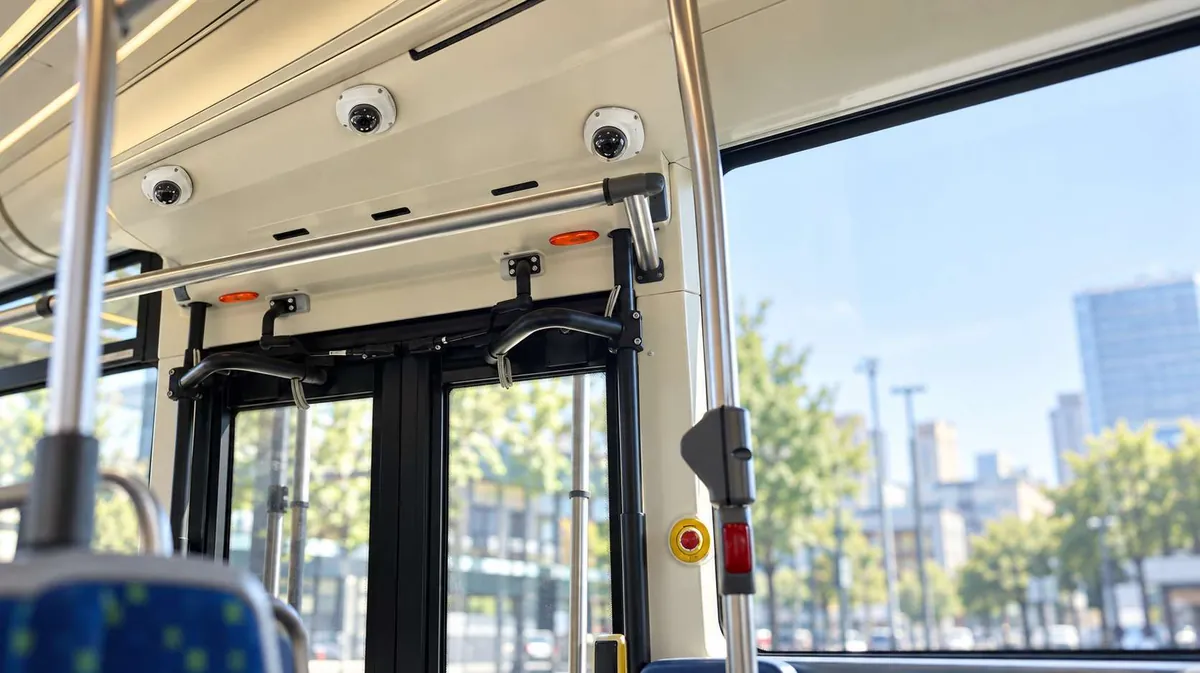
Busae video surveillance for buses is not a camera kit: it is a complete system that records what happens on board and makes it available to the control centre whenever it is needed.
It brings together interior and exterior cameras, a recorder in each vehicle, 4G communications, storage and software, and it runs inside the same ITS platform you use to manage the rest of your operation.
Security
Security cameras on a bus are only useful if the footage turns up when you need it. Busae records continuously and takes you straight to the clip that matters.
See what happened on board, with date and time, instead of relying on accounts.
Cameras deter, and the system alerts you if someone covers a camera or the signal is lost.
Answer complaints from passengers or third parties with footage.
More peace of mind for the people who drive and the people who ride.
Retrieve the clip and keep it for whoever needs it.
Check on a bus live without having to go to it.
How it works
Interior and exterior cameras capture video throughout the service, with audio and infrared when the project includes them.
The recorder stores the footage on the bus itself, on a hard drive, SSD or SD card, continuously and in a loop.
The 4G connection lets you reach the recorder remotely. At the depot, WiFi can take care of large downloads.
The control centre checks live video, recordings and events from the Busae platform or the video software, with unlimited installations on PCs.
That is how a well-designed bus CCTV system works: the video stays safe in the vehicle and only what needs to be checked travels over the network.
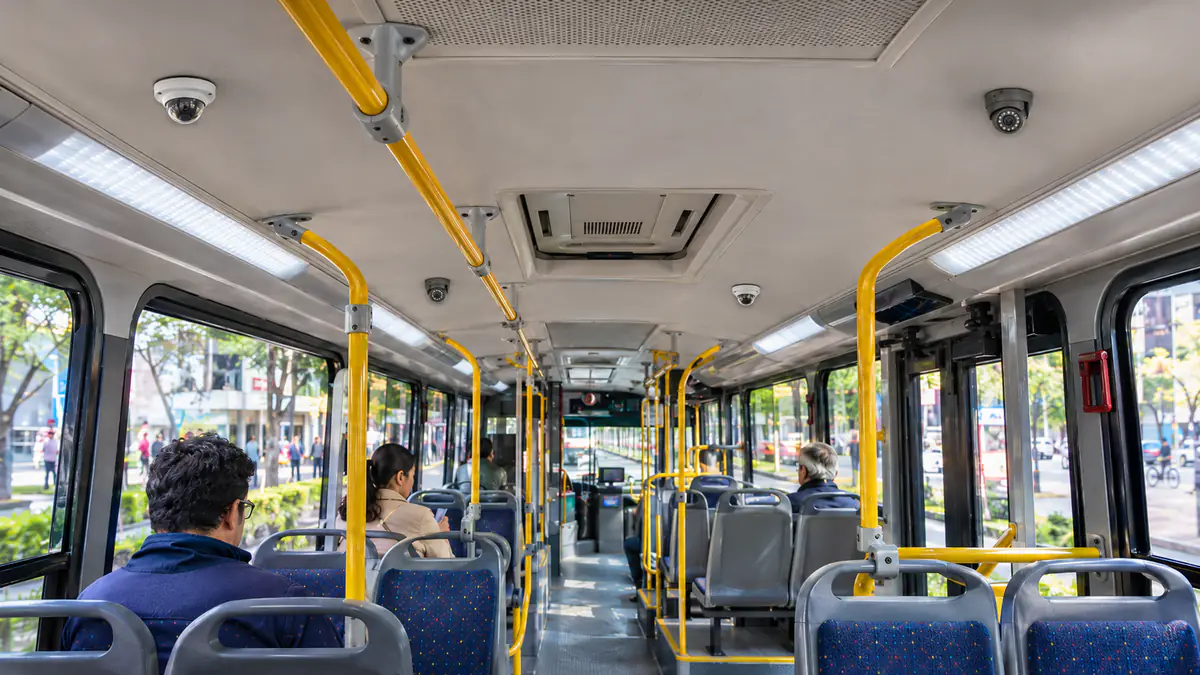
Control centre
Live video, recordings and reports are in the same software, with different user levels and permissions so each person sees only what concerns them.
Real recording examples
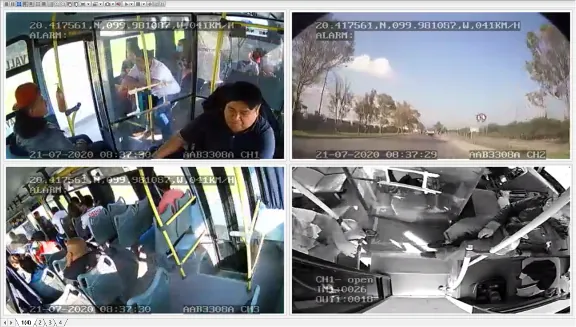
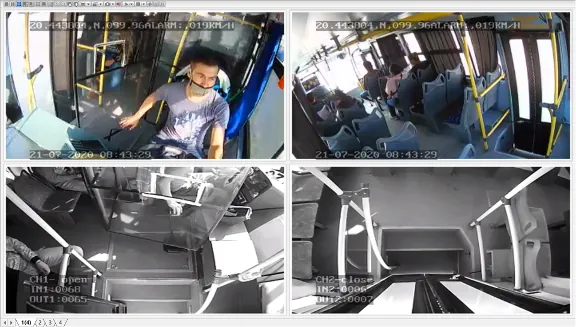
On-demand viewing from the control centre, also from the fleet map.
Access to the clips stored on the recorder without going to the bus.
For specific checks: one incident, one time slot, one camera.
Automatic when buses return to the depot, if the site is set up for it.
Drive or card to move large amounts of video.
When regulations and the project configuration allow it.
Usable images at night or in low light.
Covered camera, signal loss and other vehicle signals.
Recordings
The video is stored on the bus. There are three ways to get it to the office, and the usual approach is to combine them depending on urgency and the amount of video.
Quick, specific remote checks
Open the recording from the platform and bring back only the section you need. It is the fastest way to review a specific incident.
Recover large volumes
Remove the drive or card from the recorder and review it at the office. It is the right route when many hours of video have to be recovered.
Automatic downloads back at base
When the fleet returns to the depot, downloads run on their own over WiFi, without using mobile data.
Video over 4G uses a lot of data per minute: it is designed for opening, watching what you need and closing.
Equipment
The cameras and the recorder make up each vehicle’s mobile CCTV. Busae works with high-resolution analogue and IP cameras and with MDVR recorders, also called mobile DVRs, with 4G and GPS.
They are cameras for urban, intercity and long-distance buses, and the same public transport security cameras work for fleets of any size: what changes is how many are installed and where.
ITS platform
Many operators keep their cameras in one system and their fleet, fare collection or data in others. In Busae, video is one more layer of the same ITS platform: what happens on each bus is checked in one place.
Open a bus’s live video from its position on the map.
Review footage of what happened during a sale or a validation.
The same recorder can handle both video and counting.
Camera alerts appear on the same platform as the rest of the fleet.
Drivers, passengers and the control centre work on the same system.
Live video, recordings and reports next to the rest of your operational data.
Who it is for
Fleet control and quick access to evidence for incidents, complaints or vandalism.
Supervision from a control centre and a platform that adapts to the requirements of each project.
A solution compatible with ITS projects and different hardware configurations.
City buses, intercity coaches or minibuses, in Europe, Africa or Latin America: the system works the same way.
FAQ
On the bus itself. The recorder stores them on its hard drive, SSD or SD card, continuously and in a loop, and you can access them over the Internet from the platform when needed.
Yes, when the bus has a 4G connection and the system is configured for it. Live video opens from the control centre, on a computer or a phone, and also from the fleet map.
There are three routes, and they can be combined: over the Internet for specific checks; over WiFi when buses return to the depot, if the site is set up for it; or by removing the drive or card from the recorder when a lot of video has to be recovered.
A Mobile Digital Video Recorder, also called a mobile DVR: the unit installed on the bus that receives the images from several cameras and records them. The ones Busae uses have 4G and GPS, so you can watch live video, check recordings remotely and know where the bus was.
Yes. The cameras Busae uses have infrared, which gives usable images at night or in low light.
The cameras can record audio, but whether it is switched on depends on each country’s regulations and each project’s configuration.
The recorder raises alarms, for example when a camera is covered or loses its signal, and alerts you in real time so you can act.
It depends on storage capacity, the number of cameras, recording quality and configuration. As a reference, an 8-channel recorder can store more than 4 weeks of continuous 1080p recording. When it is full, it overwrites the oldest footage.
The Busae platform is hardware-independent: it integrates with recorders, cameras, GPS units and routers on the market, and with external platforms through APIs. Each case is validated within the project.
Yes. The same recorder can handle video and counting, and the data is checked on the same platform. See Busae passenger counting.
It depends mainly on how long live video is watched or recordings are downloaded over 4G, and on the configured quality. Video uses a lot of data per minute, so the system is designed for opening, watching what you need and closing. Large downloads are best done over WiFi or with the drive.
Tell us how many buses you have and what you need. We will show you live video and recordings working in Busae.
Videos

